FileCOPA FTP/SFTP Server Features
Unlimited Users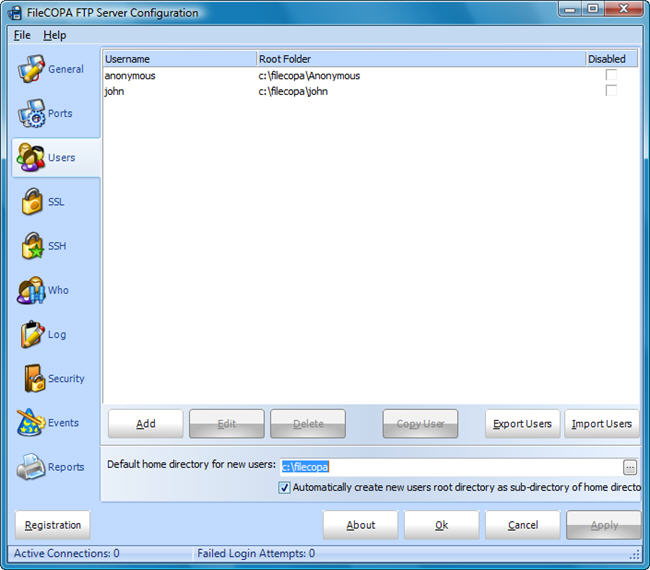
The FileCOPA secure FTP Server can be configured with an unlimited number of users.& nbsp;Each user can be given their own private directory, or can share a directory with other users. Security System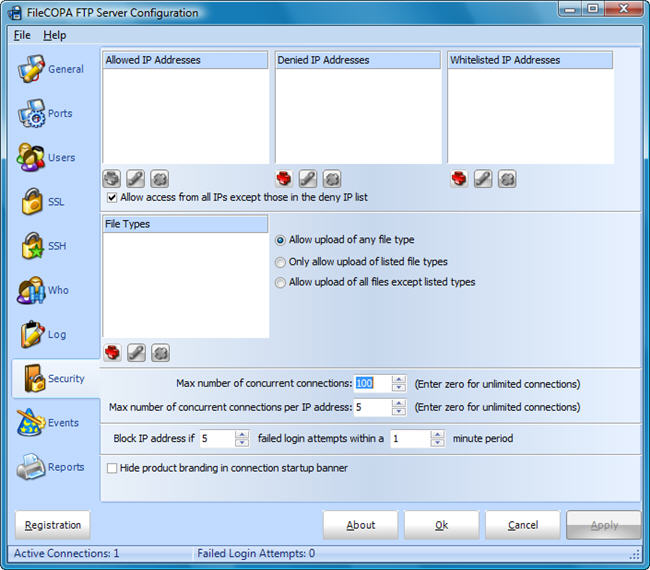
With the FileCOPA FTP Server you can limit the systems that can connect to your server. Block IP addresses and address ranges, allow only specific addresses, limit the number of connections from single IP addresses and limit the number of concurrent connections. FileCOPA will even keep an eye out for people trying to abuse your system and will block their IP address automatically saving you from stolen resources and protecting your system against unauthorized entry. PCI CompliantBy disabling the welcome banner (not available in trial), SSLv2 and some of the weaker ciphers you can configure the FileCOPA FTP/SFTP server to be fully PCI Compliant. Unlike most FTP Servers these settings can be made with a few clicks of the mouse in the control panel, no hunting for cryptic registry entries. Event system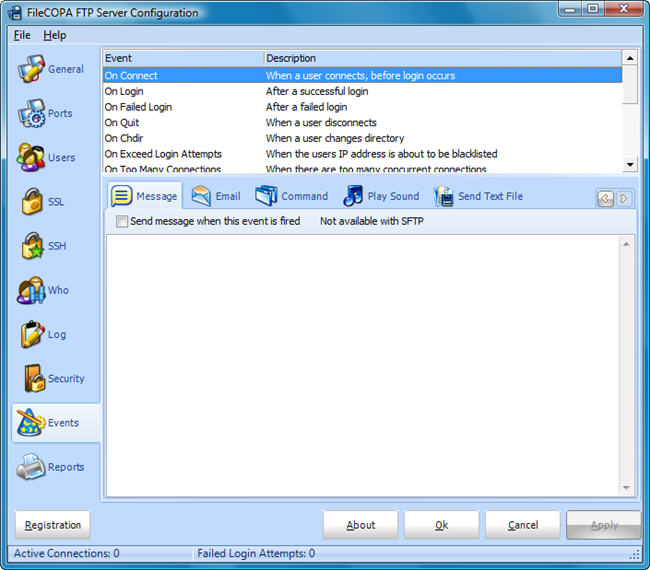
The FileCOPA FTP Server contains a fully configurable event system. Based on actions that occur during an FTP session (Connection, Disconnection, Login, Download file, etc) events can be configured to occur when that action takes place. For example, you may wish to send yourself an email each time user X connects, or play a notification sound each time a user downloads a file. Events can be configured globally and over-ridden for specific users. You may wish to be notified when user Z uploads a file, but not when user Y uploads a file. Secure FTP SSL/TLS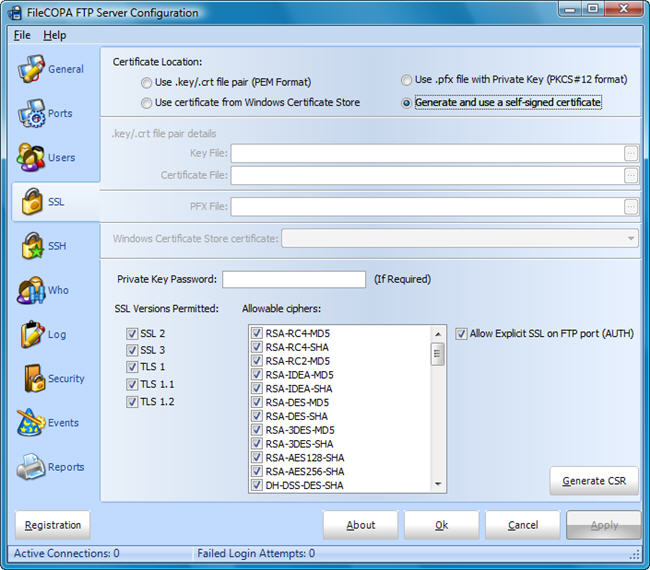
The FileCOPA secure FTP Server has full support for both implicit and explicit SSL (Secure Socket Layer) connections. A CSR (Certificate Signing Request) generator is included to make getting your certificate even easier. Secure SFTP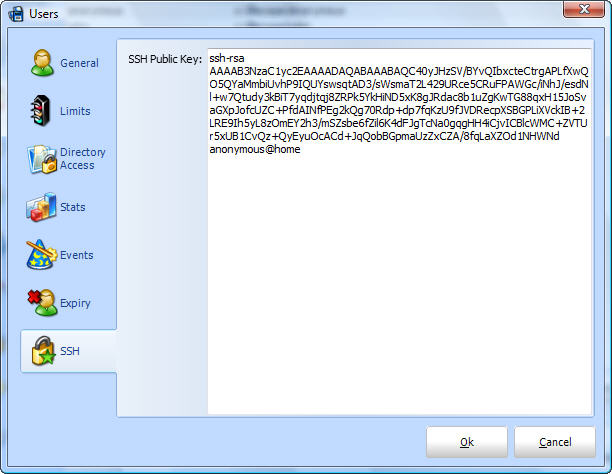
The FileCOPA SFTP Server supports up to V5 of the SSH SFTP protocol. Authenticating users with public keys is also supported. Selectable Encryption CiphersTo help with PCI compliance the encryption ciphers within the FileCOPA FTP Server V6 can be individually enabled or disabled. No complex configuration files to edit, just click next to the cipher you need to disable and press Apply. Bandwidth Limiting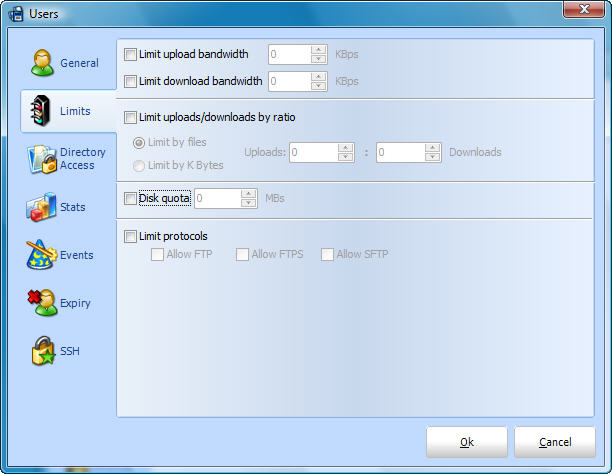
Individual users can be configured for bandwidth throttling. This limits the speed that they can upload or download to your site. Passive FTP SupportThe FileCOPA Secure FTP Server Software fully supports passive FTP connections. Passive FTP is of great benefit to customers who are likely to connect to you through a firewall. Most FTP client software defaults to passive use now making it easier for the user to connect, without an FTP server that supports passive FTP these users are going to be locked out. Passive FTP Port Range Configuration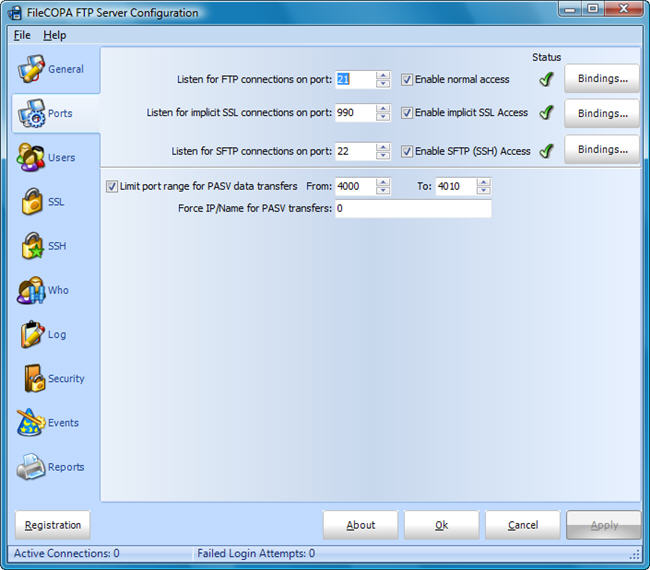
While passive FTP is great for FTP client users (the people who are connecting to you), it can be a nightmare for the FTP Server administrator. Passive FTP usually assumes all incoming TCP ports are open, but this could make your system very insecure. The FileCOPA secure FTP Server allows you to limit which ports will be used for Passive FTP connections. Armed with this information you can just open the limited number of ports on your firewall, allowing you to keep your system safe and secure. Advance Passive FTP Router Configuration
The FileCOPA secure FTP Server can be configured to report your routers IP address for passive FTP transfers. This allows you to successfully run the FTP Server on a private address behind your router/firewall. Connecting clients will be supplied your public/router IP address to connect to rather than the private address the server is running on. Anonymous FTPWhen the FileCOPA secure FTP Server is initially installed it will automatically be configured with anonymous user access. Traditional incoming folders are automatically created and access rights are restricted in the traditional manner. Files can only be inserted into the incoming folder and files cannot be downloaded from here adding to your security. Configurable TimeoutsTimeouts can be configured individually for each user allowing you to disconnect inactive users. |
HTTP/HTTPS ServerA fully blown HTTP server is included with FileCOPA. FileCOPA's http server is fully useable to run a complete web site, it can even support virtual hosts. The server link with PHP to run rich, scripted websites WebFTP HTTP/HTTPS ServerIn addition to the fully blown HTTP server the FileCOPA FTP/FTPS server software also includes an HTTP/HTTPS server that will serve up a web based FTP client. Now your customers can access their account through a web browser without needing to install an FTP client at all. NT ServiceThe FileCOPA secure FTP Server runs as a system service. This adds to your security and ensures that your FTP Server is always running, regardless of which user is logged into your system. Mode Z SupportFileCOPA supports Mode Z transfers with compatible FTP Clients for compressed uploads and downloads. Reporting and Statistics System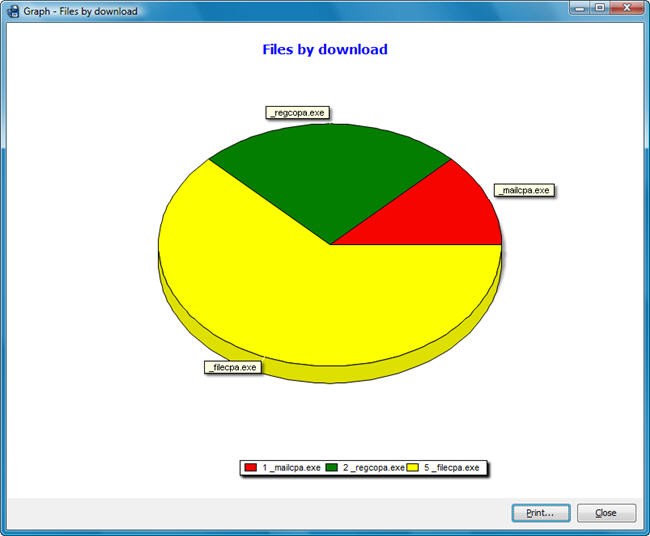
Introduced with FileCOPA V4 is a complete reporting and graphing system allowing you to track who is using your system and what they are doing. Graph regularly uploaded and downloaded files. Graph your largest users, find out who is using your system the most and what they are doing. W3C Log FilesThe FileCOPA secure FTP Server can produce log files in the industry standard W3C log file format (www.w3.org/TR/WD-logfile.html) meaning that your log files can be interpreted by numerous third part log analyzers. Live WHO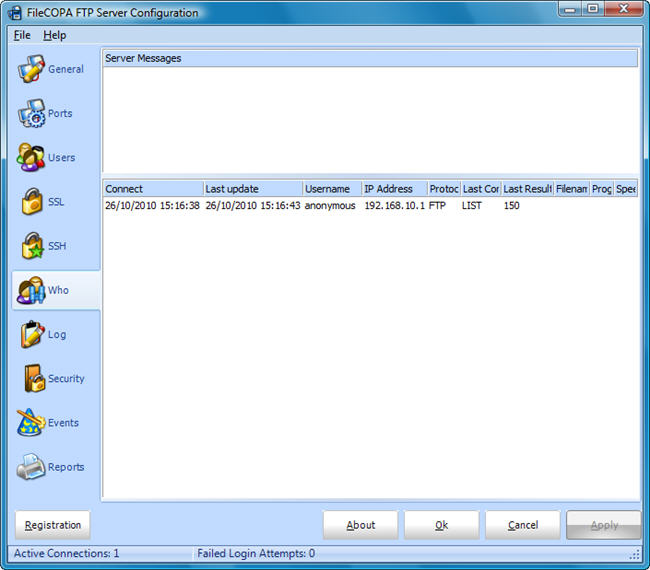
Want to know who is connected to your FTP Server right now? The FileCOPA secure FTP Server provides a live lookup of who is connected and what they are doing. RFC ComplianceThe FileCOPA secure FTP server conforms to the current FTP RFC's. User Statistics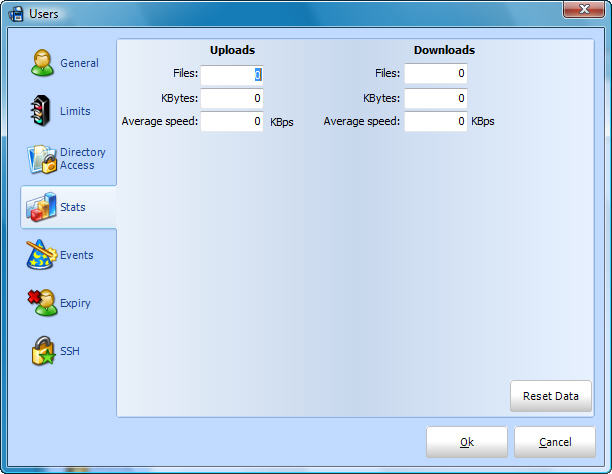
Statistics available for each user on your system. These statistics keep track of the number of files uploaded and downloaded, the number of bytes uploaded and downloaded and the average upload and download speeds achieved by the user. Directory Access Rights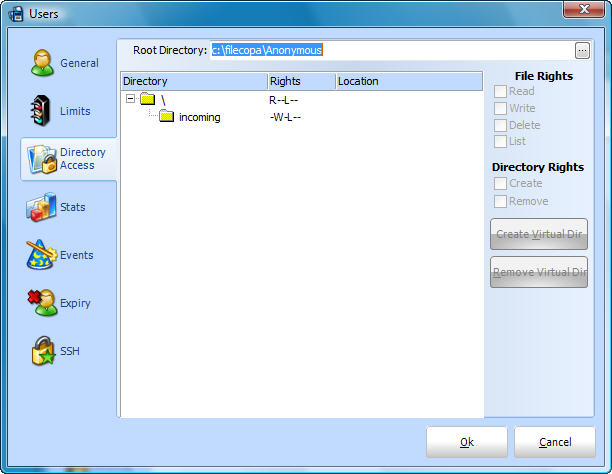
Configure Read/Write/Delete and List rights per user. Different users can even have different rights even when they are sharing the same directories. Great for allowing anonymous limited access and full read/write access for different users. Also set access rights for directory creation and removal. Support for SITE PSWD commandThe FileCOPA secure FTP Server includes support for the extended FTP PSWD command, allowing you to let your users choose their own passwords. Support for XMD5, XSHA1 and XCRC file integrity check commandFileCOPA V4 introduces support for various file integrity checking commands that many clients use for file synchronization. User RatiosWith user ratios you can force users to upload before they are allowed to download files. Ratios can be set by files or bytes so you can make sure your users don't upload a small file to enable them to download a larger one. Disk QuotasWith the FileCOPA secure FTP Server you can limit the amount of disk space each users is permitted to use. Disable Users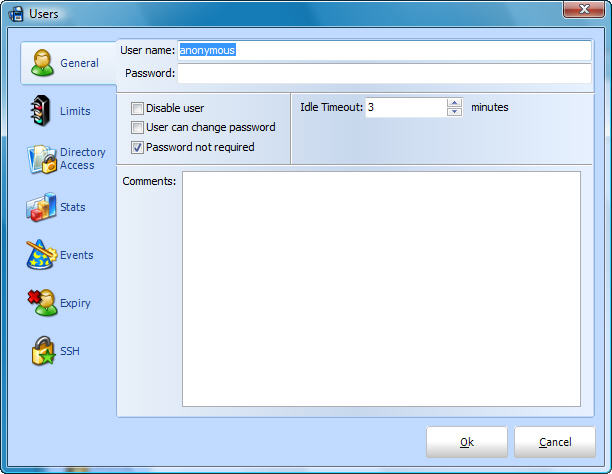
The FileCOPA secure FTP Server will allow you to temporarily disable a users access rights without deleting all the users information. Re-enable the user later simply by un-checking the disable user flag. Windows Vista CompatibleThe FileCOPA secure FTP Server V2.02 and above is fully compatible with Windows Vista. More To Come...The FileCOPA secure FTP Server Software is constantly under development. More features are being added to FileCOPA all the time. We always listen to our customers requests for features and are glad to receive comments, criticism and requests for future features. Our customers are important to us and we hope you will join our growing family very soon. |